


OneBlinc - Financial tools
4.6671.00 Reviews
App Specs
- Version
- 7.12.0
- Updated On
- License
- Free
- Downloads
- 100,000+
- Developer
- OneBlinc
- Categories
- Finance
- Platform
- Android
Screenshots
 Analysis by AppCompare
Money apps are easiest to judge in the moments when you are not sitting comfortably at home. I looked at OneBlinc as a practical finance tool for those in-between situations: checking an expected wage advance while away from a computer, linking an account from a phone, or dealing with a small cash gap before payday. The app is made by OneBlinc, is free to install, and focuses on giving eligible users access to part of their wages through a linked account. That narrow purpose is also its main strength: it is not trying to be a full banking replacement.
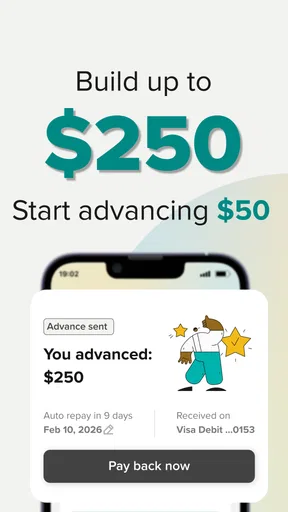
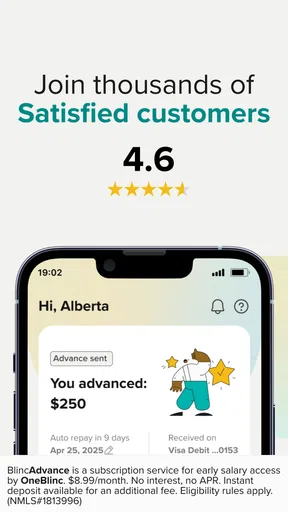
My first impression is that this is an app built around timely access rather than long-term money management. The store summary describes access to wages of up to 250 dollars through a linked account, so the important question is not whether it can replace a checking account. It is whether the process feels manageable when you need to make a decision from a mobile connection and do not want to navigate a complicated financial service.
How OneBlinc feels when the network matters
The experience naturally depends on communication between the app, your linked account, and the service handling the request. That makes a reliable connection more than a convenience. When I imagine using it at a bus stop, in a supermarket, or during a work break, the useful part is being able to review the available path from one screen instead of waiting until I reach a desktop. At the same time, a slow or unstable connection can turn a quick check into an uncertain pause.
I would not treat a loading screen as proof that a request failed. With a finance app, repeatedly tapping a button is a poor habit because you may not know whether the first attempt reached the service. My practical approach is to wait, check the visible status, and confirm the linked account before trying again. That small discipline matters more here than it would in a casual shopping or entertainment app.
The app’s connection-sensitive nature also changes when I would use it. If I have only a few seconds before paying for something, I would rather check the account and understand the available amount beforehand. A stronger workflow is to open the app while I have a stable connection, review what is needed, and keep the final decision separate from the pressure of standing at a checkout. Connectivity is part of the financial workflow, not just a technical detail.
That distinction helps set realistic expectations. OneBlinc can be useful for a short-term cash-flow problem, but it cannot remove the need to think about timing, account access, or repayment consequences. A connected phone makes the service reachable; it does not make an emergency borrowing decision automatically safe.
Using it in ordinary mobile situations
The clearest everyday scenario is a bill or essential purchase arriving shortly before payday. I might be away from home, notice that my balance is lower than expected, and use the app to see whether an advance is available through the linked account. The value is speed and convenience: I can investigate the option from the same device I use for banking and communication, rather than calling around or visiting a branch.
Worth Reading Before You Choose

EA SPORTS FC Mobile 26 Is a Bigger Football Game, but It Takes Time

Flipboard Shows What News Apps Must Do Beyond the Feed

Switching to Android Auto Means Rethinking Your Driving Routine

Google Calendar Makes a Crowded Week Easier to Manage

Ludo King Makes the Most of the Minutes Between Plans

Baby Panda World Brings Quick Play to Modern Phones, but Its Game Library Feels Busy
Another useful situation is planning around irregular work timing. If my wages arrive on a schedule that does not line up neatly with a payment date, a wage-access tool may be more relevant than a traditional credit-card application. OneBlinc’s focus is specific enough that I would consider it when the need is connected to earned income rather than a large purchase or a long repayment plan.
Still, I would avoid opening it casually every time my balance feels uncomfortable. A mobile interface can make a financial decision feel smaller than it is. Before proceeding, I would identify the exact shortfall, check whether the expense is essential, and consider whether moving a payment date or using existing savings would be less costly. The app is most sensible as a controlled bridge, not as a routine way to stretch every pay period.
Phone use brings another practical issue: attention. I would not begin the process while walking, driving, or rushing through a crowded place. Account linking and financial confirmations deserve a quiet moment, especially if the connection is fluctuating. A stable Wi-Fi or mobile-data connection is preferable, but I would also make sure I am using a private environment rather than discussing account details where other people can see the screen.
One useful habit is to separate “checking the option” from “using the option.” I can review the situation when connected and then decide after looking at my upcoming expenses. This reduces the chance that a moment of stress turns into an impulsive request. It also makes the app more useful as a planning tool, even though its central purpose is access to wages rather than budgeting.
Linking an account without creating avoidable friction
The linked-account requirement is central to the experience. It gives the app a route for handling the requested funds, but it also means the setup deserves more care than downloading an ordinary utility. I would have the correct account information ready, use a dependable connection, and avoid switching between several networks during the process.
If the linking step does not work immediately, I would first check the simple causes: whether I selected the intended account, whether the connection is stable, and whether I am entering current information. I would not keep submitting the same details repeatedly. A clean retry after closing and reopening the app is more sensible than creating confusion through multiple attempts.
This is one of the less obvious trade-offs of a mobile wage-access service. The app can be easier than dealing with a branch, but the convenience depends on the digital relationship between the app and the account you connect. Someone who is comfortable managing accounts from a phone will probably find that reasonable. Someone who prefers cash, in-person banking, or a service with minimal account linking may find the process less appealing.
I also recommend deciding in advance which account should receive the money. If I use several accounts, choosing one merely because it is already visible on my phone could create extra transfers or make the funds harder to track. The best choice is the account I actively use for the immediate expense, provided it is suitable for the app’s linking process. That is a small planning step, but it prevents the “where did the money go?” problem that can follow a rushed mobile transaction.
What to do when something seems stuck
Connection failures are especially uncomfortable in finance because the screen may not clearly explain whether the issue is local, account-related, or service-side. My recovery routine would be deliberately cautious. I would note what I was doing, wait for the connection to stabilize, reopen the app, and look for a current status before taking another action.
If the app closes during a request, I would not assume that nothing happened. I would check the account and the app’s current information first. If the information remains unclear, I would use the available support route rather than submitting a second request simply to test the system. This is a general safety habit, but it is particularly important when the app is being used during a cash shortage.
The same caution applies to duplicate decisions. A user may be tempted to tap through several times because the first screen appears unresponsive. That can make it harder to understand the final outcome. I prefer one attempt, a pause, and a verification step. It is slower by a minute, but it protects clarity when the network is unreliable.
Recovery also means knowing when to stop. If the connection keeps dropping, I would postpone the process until I can use a more dependable network rather than making a financial request in a parking lot or on public transport. OneBlinc is designed for mobile access, but mobile access does not mean every location is equally appropriate for completing an important account action.
Keeping mobile-data use sensible
A finance app like this is not the kind of tool I would open repeatedly just to browse. The most data-conscious approach is to use it with a clear purpose: check the account situation, complete the necessary steps, and close it when finished. That also reduces the risk of making repeated decisions because the app is always available in a pocket.
When I know I may need to use it later, I would review my account while connected to a trusted network and make sure my phone has enough battery. I would not rely on a weak signal for the final stage of a time-sensitive request. These are simple preparations, but they matter because a dead battery or interrupted connection can leave the user unsure about the status of a financial action.
I would also be careful with public networks. The issue is not just data consumption; it is privacy and control. A private mobile connection or trusted Wi-Fi is a better environment for account-related activity than an open network in a café. I would keep the phone locked, avoid sharing screenshots that reveal account details, and make sure the app is being used by me rather than handed to someone else for “quick help.”
There is a useful balance here. OneBlinc’s mobile format can save time compared with traditional alternatives, but that convenience should be paired with deliberate habits. I would not judge the app only by how quickly it opens. I would judge it by whether I can use it calmly, confirm what happened, and understand how the advance fits into my next pay cycle.
Where it stands against familiar alternatives
Compared with asking a bank for a personal loan, the appeal is its narrower wage-access focus and phone-first convenience. A conventional loan may make more sense for a larger, planned expense or a need that cannot be resolved by a limited advance. OneBlinc is better suited to a smaller, short-term gap connected to wages, assuming the user meets the service’s eligibility requirements.
Compared with a credit card, the app may feel more direct for someone who wants access tied to earned income rather than a reusable spending limit. A credit card can be more flexible for purchases and may fit someone who already has a disciplined repayment system. On the other hand, using credit for everyday shortfalls can create a revolving balance, while a wage-access product has its own timing considerations. Neither choice is automatically better; the right option depends on the expense and the user’s ability to recover at the next pay period.
Compared with borrowing from a friend or family member, OneBlinc offers a private, self-service route, which some people will value. The trade-off is that personal borrowing may be more flexible in timing, while an app requires the account setup and digital process to work correctly. Compared with overdraft protection, the important difference is that overdraft tools are usually tied to spending from an account, whereas this app is presented around accessing wages through a linked account.
I would skip it if I need a large amount, a long repayment horizon, investment tools, bill tracking, or a complete replacement for online banking. I would also hesitate if my income situation is uncertain or if taking money early would leave the next pay period too tight. The app’s focused design is useful only when the problem matches that focus.
Who is likely to appreciate it
OneBlinc is a good candidate for someone who already manages money comfortably from a phone and occasionally needs a limited bridge before wages arrive. The free price makes trying the app less of a commitment at the download stage, while the Everyone age rating makes it broadly presented for general audiences. Those labels do not remove the need to consider eligibility, account suitability, or the personal cost of taking wages early.
The current version is 7.12.0, and the app supports Android 7.0 or later. That makes device compatibility worth checking before planning around it, especially if the phone is older. An app can be useful in theory but frustrating in practice if the device is near the edge of its supported operating-system range or struggles with modern account flows.
Its public reception suggests that many people find the service useful: it has a 4.6 average from around 4.8 thousand ratings, with over 100 thousand installs and 672 written reviews. I see those figures as encouraging signs of interest, not a guarantee that every user will have the same experience. Finance apps are highly personal because success depends on the linked account, income timing, connection quality, and the reason for borrowing.
The strongest use case is a specific, temporary need where I know exactly how the next pay cycle will absorb the advance. The weakest use case is a recurring deficit. If I need early access every pay period to cover ordinary expenses, I would treat that as a budgeting problem requiring a broader solution, not as evidence that I should use the app more often.
My connectivity verdict
After considering the way the service fits into real mobile situations, I see OneBlinc as a focused finance app rather than an all-purpose money manager. Its main convenience is being able to investigate access to wages from a phone and route the process through a linked account. That can be genuinely helpful when timing matters and the amount needed is limited.
The connection-dependent workflow is also its main source of friction. I would use it on a stable network, avoid duplicate taps, verify the result after interruptions, and never make the decision while distracted or under checkout pressure. Those habits are not optional extras in my view; they are what make a mobile financial tool easier to use responsibly.
I would recommend OneBlinc to a careful user who needs a short-term wage-access option and understands the next pay cycle. I would not recommend it as a substitute for savings, a bank account, or a solution to ongoing overspending. For the right situation, the app’s focused approach can be more practical than a traditional loan application. For the wrong situation, its convenience could simply make a deeper cash-flow problem easier to repeat.
Pros
- Fast access to earned-wage advances for eligible members.
- No traditional credit check is required for some features.
- Budgeting tools can help track spending and upcoming bills.
- Automatic repayment may simplify managing borrowed funds.
- Membership may include financial education and credit-building options.
Cons
- Eligibility and available advance amounts vary by employer and profile.
- Membership fees can apply even when you do not borrow money.
- Advance fees may make repeated borrowing expensive over time.
- Repayment timing can create pressure before the next paycheck.
- Availability and features may differ depending on your location.
FAQs for OneBlinc - Financial tools
What is OneBlinc, and what financial tools does it offer?
OneBlinc is a financial services app designed to help eligible users manage short-term cash needs and everyday money more conveniently. Depending on availability and approval, its tools may include access to a line of credit or cash advance, a spending account, a debit card, direct deposit features, and credit-building resources. The exact products, limits, fees, and eligibility requirements can vary by user and location, so review the terms shown in the app before accepting any offer.
Who can use OneBlinc, and what information is required to sign up?
OneBlinc is generally intended for eligible users in the United States, although availability may depend on state, employment, income, banking history, and other requirements. During registration, the app may ask for personal identification details, contact information, income or employment data, and permission to connect a bank account. You should provide accurate information and understand that identity verification, eligibility checks, and product approval are not guaranteed.
Does OneBlinc charge fees or interest for its financial products?
Costs depend on the specific OneBlinc product and the terms presented to you. Some features may involve membership charges, expedited-transfer fees, account-related costs, or borrowing costs, while other services may have different pricing structures. Before using a cash advance, credit line, or optional feature, carefully read the disclosure screen and agreement. Pay particular attention to repayment dates, recurring charges, late consequences, and any applicable interest or fees.
How does repayment work, and can using OneBlinc affect my credit?
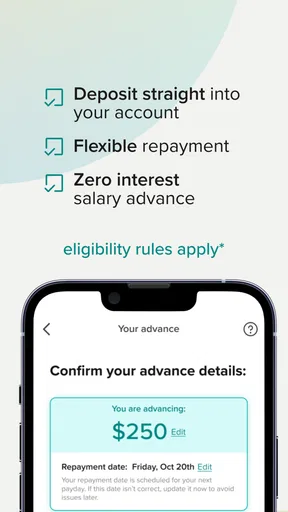
Repayment procedures depend on the product you use and may involve an automatic withdrawal from a linked bank account or another payment method. Make sure sufficient funds are available on the scheduled date to avoid failed payments or additional charges. OneBlinc may also offer credit-building or reporting features, but reporting policies can differ by product and may change. Read the current terms to understand whether activity is reported and to which credit bureaus.
Is OneBlinc safe to use, and what should I check before downloading it?
OneBlinc uses account security and identity-verification measures, but no financial app can eliminate every risk. Download it only from an official app store, confirm the developer name, and avoid sharing login codes with anyone. Before signing up, review the privacy policy, permissions, pricing, repayment terms, and customer-support options. Because the app handles sensitive financial information, use a strong password, enable available security controls, and keep your device updated.


